Excellent backup and restore application
Oops!Backup lets you not only back up your files and keep them safe, but also restore old file versions quickly and easily.
Losing documents can be a real pain and hugely time consuming. Sometimes you might accidentally save a changed file, and then wish you hadn't, but can't get the original version back. Oops!Backup is designed with that in mind.
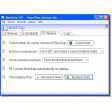
When you first load up Oops!Backup, you need to choose which folders you want to keep backed up, and to where. Oops!Backup recommends a different drive to the file source, because if there's a problem with your drive, you could lose everything. There is now the option to double back up, to protect against backup drive failure. Oops!Backup also has options to make it easy for small networks to set up safety backups on centralized servers.
Schedule your backups
When you change a file that has been backed up, Oops!Backup will take note, and a new version will be backed up depending on how you have it set up. It could be immediately or hourly for example. You can build up a library of previously saved versions of any file, great news if you made an error, or just want to compare different versions.
Oops!Backup's focus on saving old versions is an excellent addition to a really user friendly backup application. Backups can be scheduled when you want, and you can choose how many backups you want to keep at any time, how long you want to keep them and also enable a 'plug and protect' mode, which will start a backup as soon as your Backup Drive is connected.
Oops!Backup is a well designed and trustworthy backup tool, that gives Windows an Apple-like Time Machine. It is both easy to use and flexible.





























User reviews about Oops!Backup
by Mart Brom
No longer in development - that stopped xx years ago. Was a good program but does not support GPT disks only the old MBR.